

Best 3D Printers 2026: 5 Picks Worth Buying
Most “best 3D printer” lists for 2026 name a dozen machines and still manage to include one that was discontinued in March. This one is shorter on purpose. Five printers, each picked for a clear job: the one most people should buy, the cheapest serious way in, two enclosed machines at fair prices, and one premium printer built to run for a decade. If you are shopping for a holiday purchase or your first machine, the right answer for you is almost certainly on this page.
One thing before the picks, because it shapes everything below. We haven’t tested this one yet. This is our analysis of its specs, design, and what owners report. Every pick here was chosen by comparing manufacturer specifications, motion system and hotend design, firmware features, street prices, and the problems and praise that show up again and again in owner communities. Where owners disagree with the marketing, the owners win. Rankings are our judgment calls based on that research, and we would rather tell you how a pick was made than pretend a test bench was involved.
Disclosure: this article contains affiliate links. As an Amazon Associate I earn from qualifying purchases. If you buy through a link on this page, we may earn a commission at no extra cost to you.
The verdict
Top pick: Bambu Lab A1 Combo. The easiest printer to live with, full auto-calibration, and four-color printing in the box. Most buyers should stop reading here. Check price
Budget pick: Creality Ender 3 V3 SE. The cheapest serious way in, still auto-leveling and direct drive. The right first printer when the budget is firm. Check price
Need an enclosure for ABS or ASA? Get the Bambu Lab P1S or the Elegoo Centauri Carbon. Buying for the long term? The Prusa CORE One is the repairable, open, buy-it-once option.
The five picks at a glance
| Printer | Check price | Build volume | Enclosed | Buy it for |
|---|---|---|---|---|
| Bambu Lab A1 Combo | Check price | 256 x 256 x 256 mm | No | The easiest all-around printer, color included |
| Creality Ender 3 V3 SE | Check price | 220 x 220 x 250 mm | No | A first printer on a tight budget |
| Bambu Lab P1S | Check price (Combo: Check price) | 256 x 256 x 256 mm | Yes | ABS and ASA without a premium price |
| Elegoo Centauri Carbon | Check price | 256 x 256 x 256 mm | Yes | An enclosed CoreXY on a budget |
| Prusa CORE One | Check price | 250 x 220 x 270 mm | Yes, with active chamber control | Reliability, repairability, open firmware |
Specs and picks checked October 26, 2026. Prices are deliberately not printed in this guide: they change too often to stay true, and the check price links in the table always show today’s number. One timing note that does hold up: Bambu Lab discounts its line regularly, including around Black Friday, so if you are buying a Bambu it is worth checking the current price before you check out.
Which printer should most people buy? The Bambu Lab A1 Combo
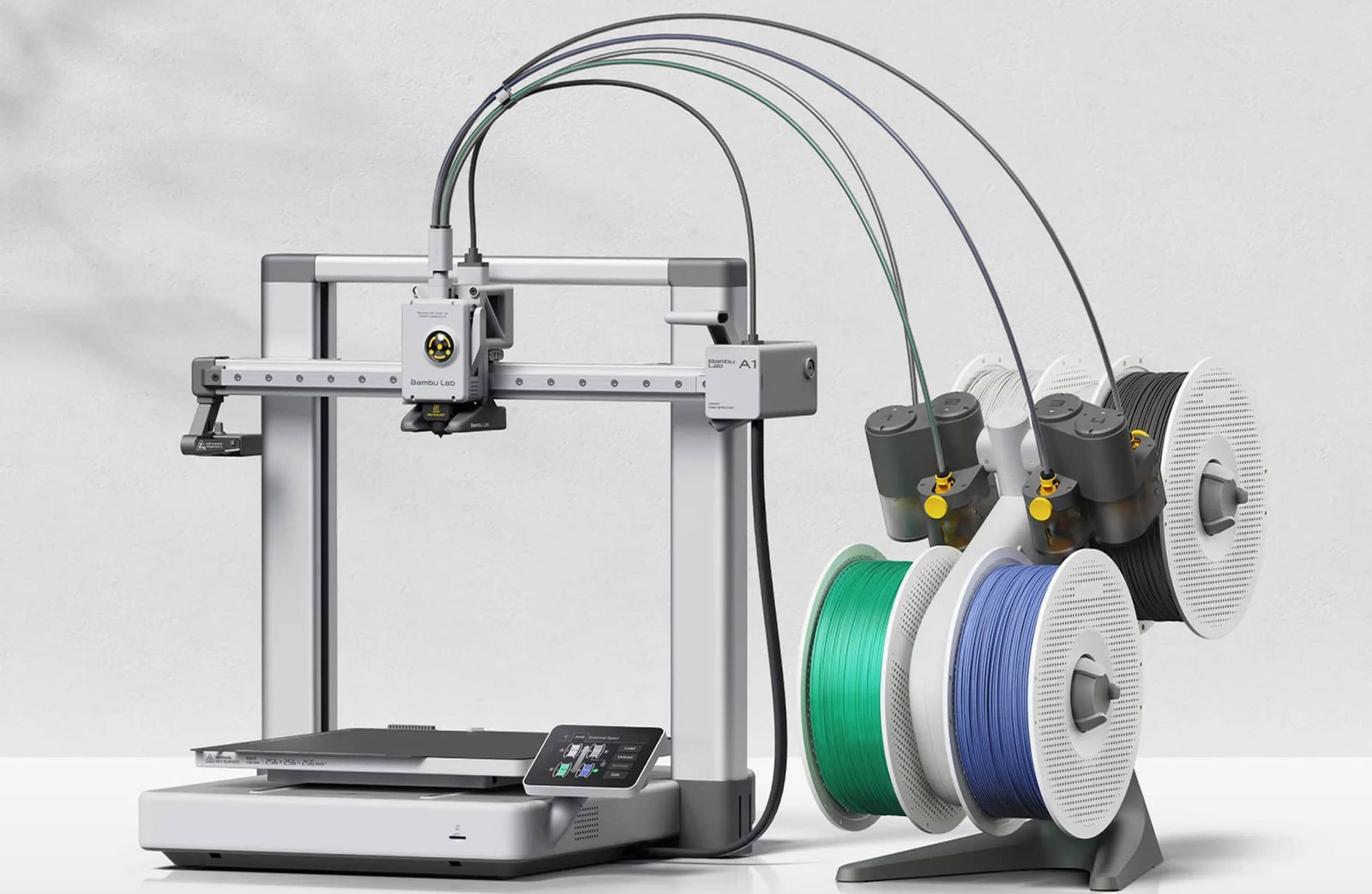
The A1 Combo is the printer we would hand to a friend who wants to print things, not learn printer repair. Its advantage is not one big feature. It is the removal of every chore that used to define owning a 3D printer. The machine calibrates itself before every print: bed leveling, Z offset, vibration compensation, and nozzle pressure are all automatic. Bambu calls this full-auto calibration, and owner feedback backs up the claim that first layers simply work, print after print, with no paper gauges and no knob turning.
The Combo version adds the AMS lite, a four-spool feeder that swaps filaments mid-print. That turns a single-color machine into a four-color one for signs, labels, toys, and gifts with clean color changes and no painting. It also handles the boring jobs well: automatic filament loading, runout detection, and a quick-swap nozzle that changes with a clip instead of tools. At 500 mm/s with active flow rate compensation, it is fast without the stringy, under-extruded corners that fast printing usually produces on cheaper machines.
Key specs: 256 x 256 x 256 mm build volume on a bed-slinger frame, 500 mm/s max speed, direct drive extruder, all-metal hotend rated to 300 C, full-auto calibration, four-filament AMS lite included, built-in camera for timelapses, Wi-Fi with Bambu Studio and the Bambu Handy app.
What owners praise: the out-of-box experience. Setup takes about fifteen minutes, the first print usually succeeds, and the printer stays consistent afterward. Print quality at speed is the other recurring theme, along with quiet operation thanks to active motor noise cancellation.
The trade-offs: it is an open-frame printer, so ABS and ASA will warp in a cool room and there is no safe workaround short of an enclosure tent, which brings its own fire-safety questions. Skip it if engineering filaments are your main goal and look at the two enclosed picks below. Bambu’s ecosystem is also closed. The printer leans on Bambu accounts and cloud services for some features, third-party filament works but the slickest experience uses Bambu spools with RFID tags, and the firmware is not open. None of that stops it printing well today. It is a real consideration if you care about who controls your machine in five years.
Buy it if you want one printer that handles PLA, PETG, and TPU projects with minimal fuss, and color printing sounds fun rather than like a chore. Skip it if you mainly print ABS, ASA, or nylon, or if open firmware is a hard requirement.
The printer alone, without the AMS lite, is the cheaper route if you are certain you will never print in color.
What is the best budget 3D printer? The Creality Ender 3 V3 SE
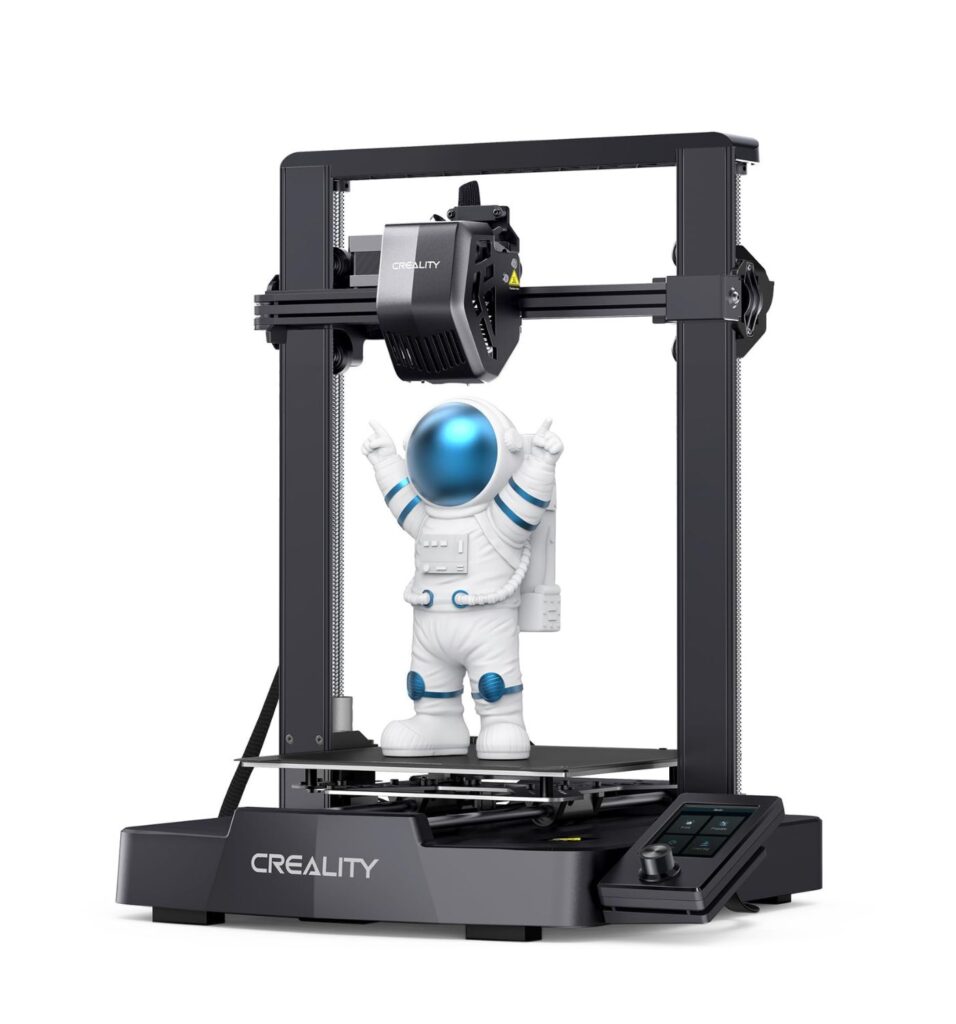
Ten years of Ender 3 jokes were about bed leveling wheels and evenings lost to a sheet of paper. The V3 SE is Creality’s answer, and it is the cheapest printer on this list by a wide margin while keeping the two features that matter most in its class: CR Touch auto bed leveling with automatic Z offset, and a direct drive extruder. That pairing means a beginner gets a correct first layer without learning the old rituals, and the Sprite direct drive handles PETG and flexible TPU far better than the Bowden tubes on older budget machines.
It is not a slow printer either. Creality rates it at 250 mm/s, roughly half the speed of the Bambu picks, which in practice means a typical part takes noticeably longer but finishes the same day. The dual Z screws and steel Y-axis shafts keep the frame honest, and the Ender community remains the largest in the hobby. Any problem you can name has a solved forum thread, a video walkthrough, and three aftermarket parts competing to fix it.
Key specs: 220 x 220 x 250 mm build volume, 250 mm/s max speed, CR Touch auto leveling plus strain-sensor auto Z offset, Sprite direct drive extruder, 260 C max nozzle temperature, dual Z axis, about twenty minutes of assembly, SD card printing with no Wi-Fi built in.
What owners praise: value, plain and simple. Reports consistently describe a machine that works out of the box and keeps working, with the enormous Creality parts and knowledge ecosystem behind it.
The trade-offs: fit and finish are budget grade, the screen and interface feel a generation old, and there is no camera, no Wi-Fi, and no enclosure. Stock part cooling is ordinary, so sharp PLA overhangs need slicer attention. It also gives up build area to every other pick here; a full-size helmet or large prop will not fit in one piece.
Buy it if the budget is tight, full stop, or you want a low-risk way to learn whether this hobby is for you. Skip it if you know you will print large parts, want color printing, or would rather pay more to skip the budget-machine compromises entirely.
Want an enclosure without the premium price? The Bambu Lab P1S
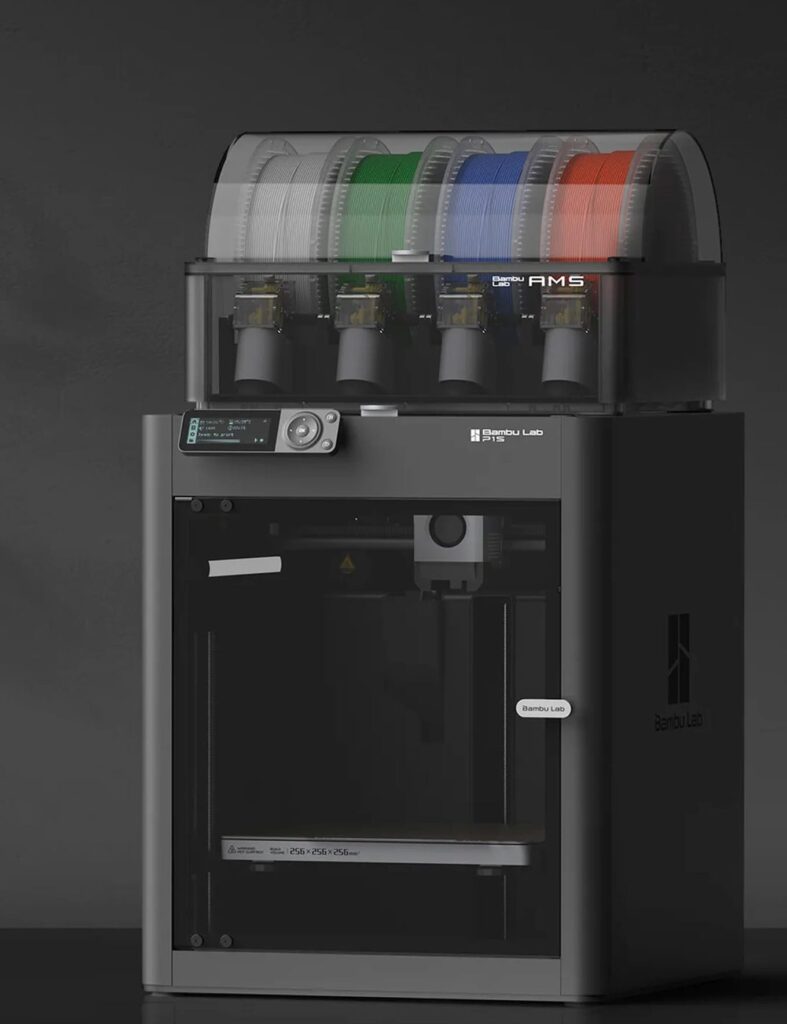
The P1S answers a specific question: what is the cheapest way into a fast, enclosed, auto-calibrating printer? It sits in the same price class as the A1 Combo, and the money goes to a different place. Instead of the color feeder, you get a fully enclosed CoreXY frame that holds chamber heat, which is what ABS, ASA, and nylon need to print without warping, lifting, or splitting between layers. PETG also comes out cleaner with the enclosed machine’s controlled airflow, and the chamber fan runs through a carbon filter that takes the edge off filament fumes.
Under the panels it is most of an X1 Carbon for a third of that machine’s old price: 500 mm/s CoreXY motion, automatic bed leveling and vibration compensation, a 300 C all-metal hotend, and a chamber camera. It accepts the full-size AMS for four-color printing, and up to four AMS units for sixteen colors if you ever go that far. Buy the Combo version if color is on your list at all; adding the AMS later costs more.
A note on timing, because it affects the buy decision. The P1S is Bambu’s older model now. Its successor, the P2S, adds a better screen, a nicer camera, and servo extruder hardware, and Bambu discounts the P1S line regularly. The P1S itself remains on sale and fully supported, and it is the value play while stock lasts. Nothing about it is obsolete except its position in the catalog.
Key specs: 256 x 256 x 256 mm build volume, enclosed CoreXY, 500 mm/s max speed, direct drive, 300 C all-metal hotend (stainless nozzle stock, hardened steel upgrade needed for abrasive filaments), auto bed leveling and vibration compensation, chamber camera, AMS compatible.
What owners praise: reliability and speed on functional parts. The P1S has been a print-farm workhorse for two years, and owner reports reflect that: it runs, it repeats, and parts come out consistent.
The trade-offs: the stock camera is low frame rate and only good for timelapses and rough checks, the screen is a basic monochrome panel, and Bambu’s closed ecosystem applies here just as it does on the A1. Buy hardened steel extruder gears and nozzle before printing carbon-fiber filaments, since the stock set wears.
Buy it if you print functional parts in ABS, ASA, or PETG and want farm-grade consistency without a farm-grade price. Skip it if you mostly print PLA display pieces, where the A1 Combo gives you color for the same money, or if the newest model matters more than the discount.
An enclosed CoreXY on a budget: the Elegoo Centauri Carbon
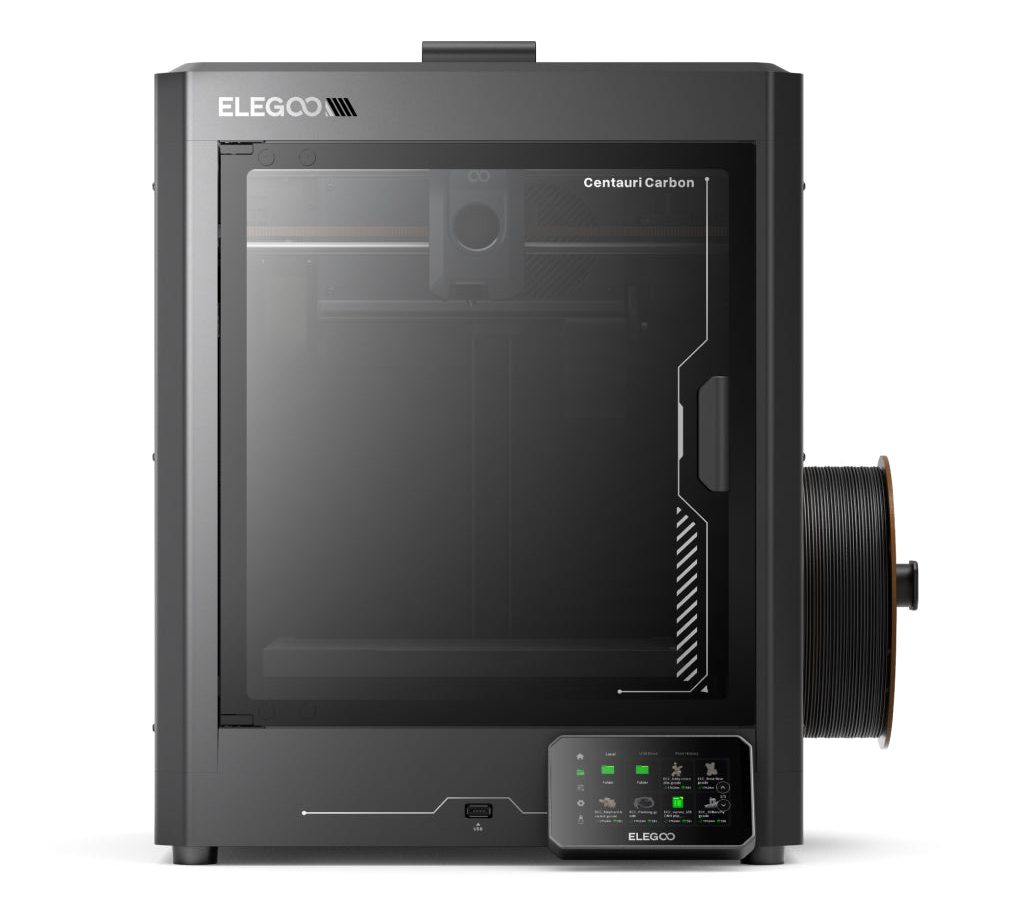
The Centauri Carbon is the price disruptor on this list. It undercuts the P1S by a wide margin while matching its headline specs: an enclosed CoreXY frame, a 256 mm cube of build volume, 500 mm/s claimed speed, and auto calibration out of the box. Elegoo built the frame as a single die-cast piece, which is why owners describe it as unusually stiff and quiet for the price, and it arrives fully assembled rather than as a kit.
It also skips a compromise the P1S makes. The Centauri Carbon ships with a hardened steel nozzle rated to 320 C, so carbon-fiber and glass-filled filaments are on the menu from day one without an upgrade purchase. There is a built-in chamber camera for monitoring and timelapses, a color touchscreen that feels a class above the P1S panel, and a dual-sided build plate with a PLA-specific surface on one side.
Key specs: 256 x 256 x 256 mm build volume, enclosed CoreXY with die-cast frame, 500 mm/s max speed, direct drive, 320 C hardened steel nozzle, full auto calibration, built-in camera, touchscreen, single color only.
What owners praise: the hardware-to-price ratio. Review roundups and owner threads keep landing on the same point: nothing else enclosed and this fast sells this cheap, and print quality at sane speeds holds up against machines costing twice as much.
The trade-offs: software and support are the weaker half. Elegoo’s slicer works fine, but the polish, documentation depth, and community size trail Bambu and Creality, so troubleshooting leans more on your own reading. Multicolor is the other gap. This machine prints one filament at a time, and Elegoo’s answer, the newer Centauri Carbon 2 with its CANVAS color system is effectively a different model. If color matters, buy a Bambu. If it does not, the original Carbon is the enclosed bargain of the year.
Buy it if you want an enclosed printer for ABS, ASA, and carbon-fiber filaments and every dollar counts. Skip it if you want multicolor printing, the deepest possible support community, or a company with Bambu’s software polish.
Buying one printer for the next ten years: the Prusa CORE One
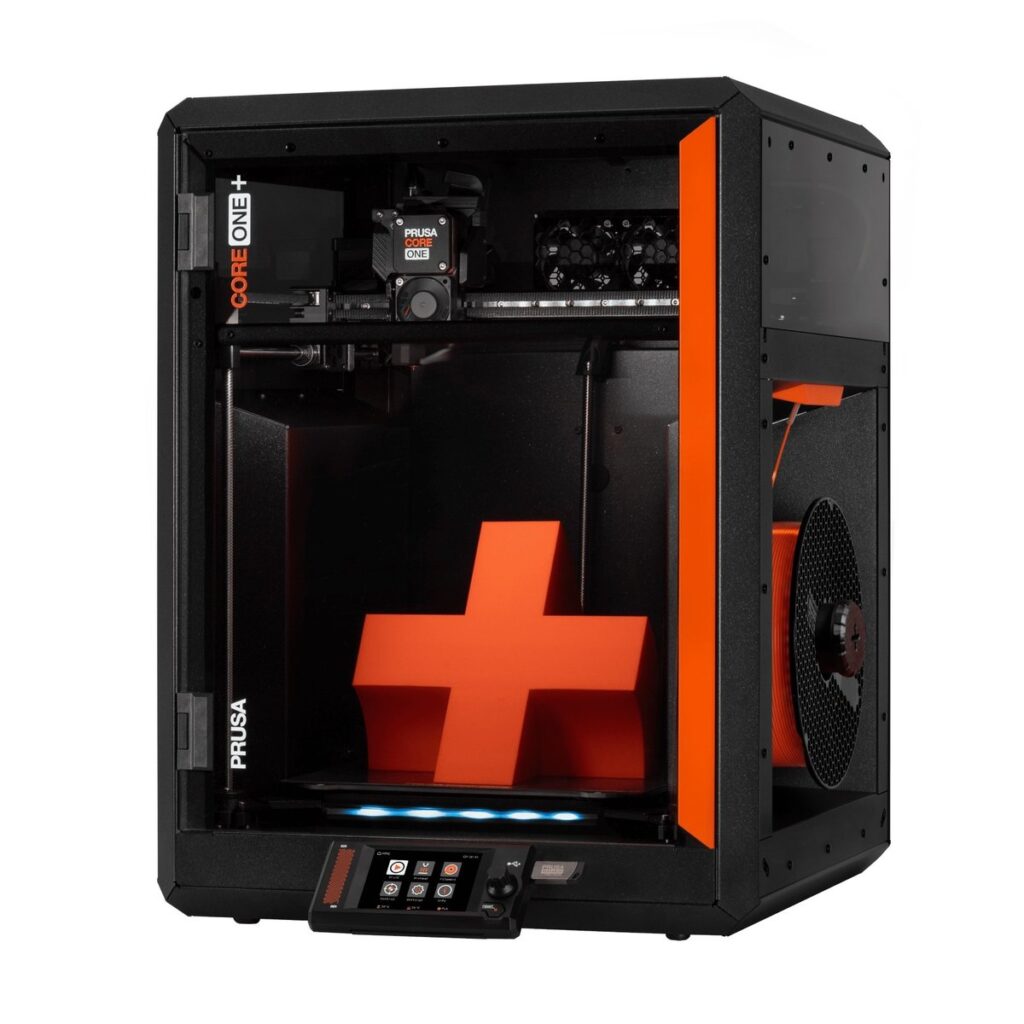
Every other pick on this page is a bet on a company’s current product cycle. The CORE One is a different bet: on a manufacturer that sells spare parts for a decade, publishes its firmware source code, and writes documentation thorough enough that a stranger can rebuild the machine from it. Prusa Research, out of Prague, built its name on the i3 series that half the hobby’s printers descend from, and the CORE One is its enclosed CoreXY flagship.
The engineering is conservative in the best way. An all-steel exoskeleton frame. A Nextruder direct drive with a load cell in the toolhead, so the nozzle itself probes the bed and the first layer calibrates fully automatically with no separate sensor to drift or fail. Active chamber temperature control up to 55 C, which holds ABS and ASA conditions steady and manages heat for PLA with the door shut. A 120 C bed and 290 C hotend that cover the realistic filament range, including polycarbonate blends and nylon. It is not the fastest printer here on paper and does not try to be. It is the one designed so that when something wears out in year six, you order the part, open the guide, and fix it on your kitchen table.
Key specs: 250 x 220 x 270 mm build volume, enclosed CoreXY with active chamber control to 55 C, load-cell automatic first layer calibration, Nextruder direct drive, 290 C max nozzle temperature, open-source firmware and slicer, optional MMU3 add-on for five-color printing, available assembled or as a kit.
What owners praise: dependability and the company behind it. Long-term Prusa owners report machines that run for years with basic maintenance, firmware updates that add features to old hardware, and support that answers with engineers rather than scripts.
The trade-offs: price, and it is not close. The CORE One costs as much as roughly three A1 Combos. It is single color out of the box, the camera is a basic add-on rather than a highlight, and raw speed trails the Bambu machines. You are paying for longevity, openness, and support, and those payoffs arrive over years, not on day one. A small note for shoppers: Prusa has begun rolling out a lightly revised CORE One+ with the same frame and build volume, so check which version a listing is selling before you pay.
Buy it if you keep equipment for a long time, value repairability and open firmware, or are outfitting a school or workshop that cannot babysit machines. Skip it if the budget is mid-range, where the same money buys a faster enclosed printer and a shelf of filament.
The kit version costs less if building it yourself sounds like part of the fun.
How we picked these five
Filameld does not own these printers, and this page does not pretend otherwise. The shortlist was built the way a careful buyer with no review unit would build it, and the criteria were fixed before the rankings:
Specifications that predict daily life, not brochure numbers. Auto bed leveling and automatic Z offset were treated as mandatory for the top spots, because first-layer failure is the number one reason new owners quit. Enclosure, hotend temperature, and nozzle material decided the engineering-filament picks. Claimed top speeds were discounted across the board, since every brand quotes a number the machine hits for seconds at a time.
Design and firmware analysis. Motion system layout, extruder type, frame construction, and how much of the calibration stack runs automatically. On the software side: whether the slicer is maintained, whether firmware updates still ship for the model, and how much of the printer’s function depends on a vendor cloud account.
Owner reports, weighted by repetition. Forums, subreddits, and retailer reviews were read for patterns, not highlights. A complaint that appears fifty times counts. A single angry review does not. This is also where the list lost a famous name: the Bambu Lab X1 Carbon still appears in competitor roundups, but Bambu discontinued it in March 2026 and replaced it with newer models, so it is not here. A printer you can only find as leftover stock does not belong in a 2026 buying guide.
Value against the current market, checked October 26, 2026. Every pick had to be a model you can buy new today at a street price that makes sense against its rivals. Two of the five picks are older models whose street prices have fallen well below their launch prices, which is exactly when a proven machine becomes the smart buy.
What would change this list: a hands-on testing program. Filameld’s own workbench runs an Ender 3 Pro on Klipper, and as test units arrive, individual printers will graduate to full scored reviews and this page will be updated to say so.
Frequently asked questions
Open frame or enclosed printer, which do I need?
An enclosure matters only for filaments that warp as they cool: ABS, ASA, nylon, and most carbon-fiber blends. PLA, PETG, and TPU print fine on an open frame. Decide by the parts you want to make. Decorative and household items point open frame. Outdoor, automotive, and load-bearing parts point enclosed.
How much should I spend on a first 3D printer?
Every good first printer on this page sits in the budget-to-midrange band, and the picks above mark the spots. Below that band, the money you save comes back as tinkering time and missing basics like auto leveling. Above it, you are paying for enclosures, size, or longevity rather than a better first month.
Is Bambu Lab good for beginners?
Yes, and the reason is specific. Full auto-calibration removes the first-layer setup work that defeats most new owners. The A1 Combo and P1S both set their own Z offset, leveling, and flow compensation, so a beginner’s early prints succeed at a rate older machines never managed.
Do I need multicolor printing?
No, and it is worth knowing the cost before you want it. Multicolor is great for display models, signage, and gifts. It adds purchase price, print time, and a pile of purge waste on every color change. Functional parts almost never need it. If you are unsure, the A1 Combo includes it at a fair price; if you are sure you do not, the Centauri Carbon spends the same money on an enclosure instead.
What filament should I start with?
PLA. It prints at low temperatures, barely warps, needs no enclosure, and forgives beginner mistakes. Buy one spool of a color you like with the printer. Move to PETG when you need parts that survive heat and weather, and treat ABS and ASA as step two, on an enclosed machine.
Why is there no resin printer on this list?
Resin is a different tool for a different job: unmatched detail for miniatures and small display pieces, paid for with a messy workflow, chemical handling, and small build volumes. It deserves its own guide rather than a token slot here, and one is planned.
