

Best 3D Printer for Beginners 2026: 5 Easy First Picks
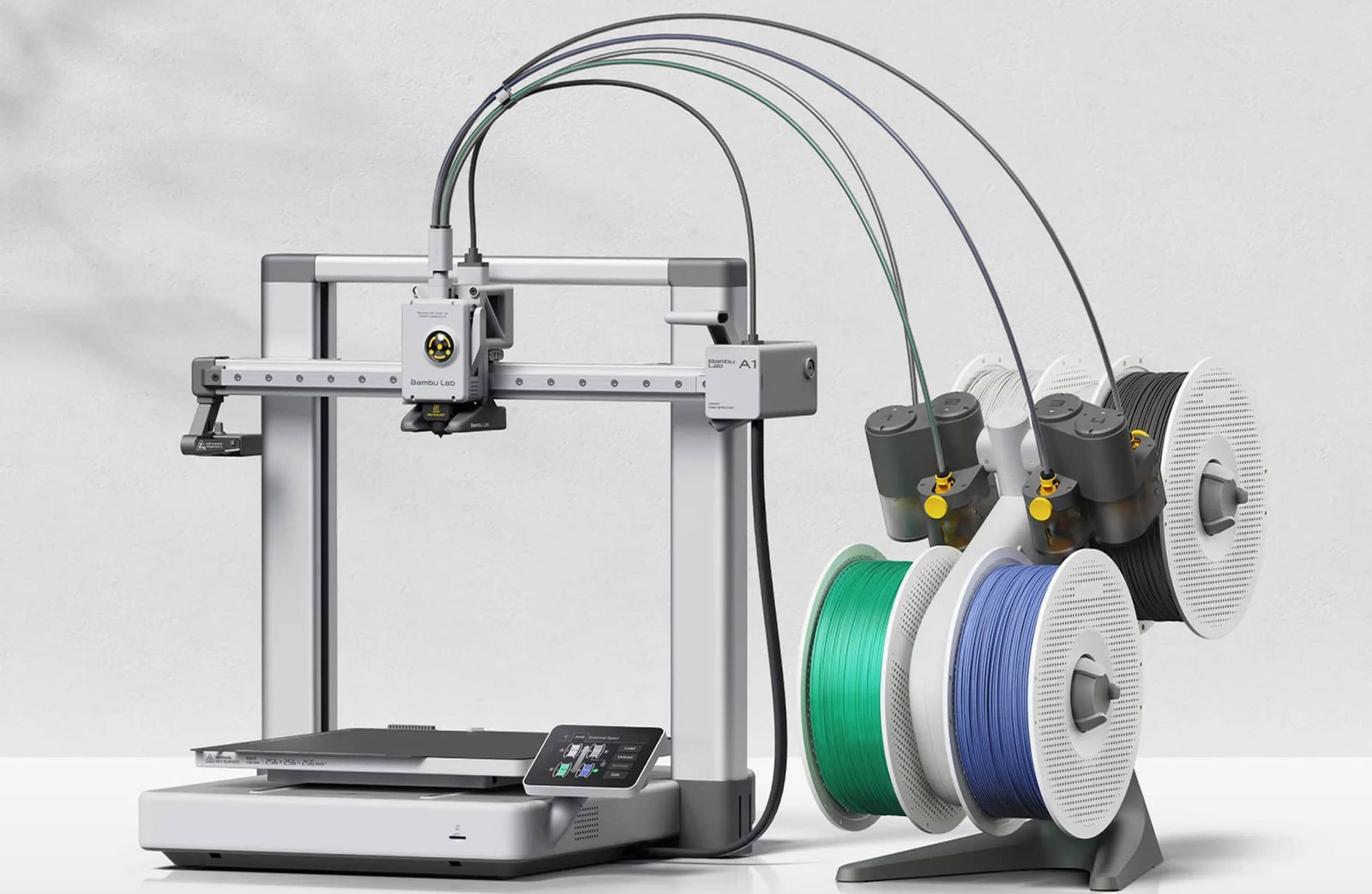
The first printer has one job: print something successfully on day one, so there is a day two. Most beginner regret does not come from picking a slow machine or a small one. It comes from an evening lost to a bed that would not level and a first layer that would not stick. Every printer on this page was picked to prevent that evening. They calibrate themselves, they set their own first layer, and they arrive mostly assembled.
This guide is the beginner-specific companion to our general roundup, Best 3D Printers 2026: 5 Picks Worth Buying. That page ranks printers for every buyer. This one narrows the field to a first purchase: setup time, first layer reliability, noise, desk footprint, and how much help exists when something goes wrong. Two printers appear on both pages, because the honest answer to “what should a beginner buy” and “what should most people buy” is sometimes the same machine.
One thing before the picks, because it shapes everything below. We haven’t tested this one yet. This is our analysis of its specs, design, and what owners report. Every pick was chosen by comparing manufacturer specifications, calibration and extruder design, slicer and app quality, and the problems and praise that recur in owner communities. Where owners disagree with the marketing, the owners win. Rankings are our judgment calls, and we would rather show the reasoning than pretend a test bench was involved.
Disclosure: this article contains affiliate links. As an Amazon Associate I earn from qualifying purchases. If you buy through a link on this page, we may earn a commission at no extra cost to you.
The verdict
Best for most beginners: Bambu Lab A1 Combo. Full size build plate, full auto calibration, four-color printing in the box, and the quietest operation in this guide. Most first-time buyers can stop reading here. Check price
Smallest footprint: Bambu Lab A1 mini Combo. The same automatic experience in a machine that fits a dorm desk. Check price
Tightest budget: Creality Ender 3 V3 SE. The cheapest way in that still levels itself. Check price
Want CoreXY speed instead? Get the FLASHFORGE Adventurer 5M. Want color without a Bambu account? Get the Anycubic Kobra 4 Combo.
The five picks at a glance
| Printer | Check price | Build volume | Enclosed | Buy it for |
|---|---|---|---|---|
| Bambu Lab A1 Combo | Check price | 256 x 256 x 256 mm | No | The easiest all-around first printer, color included |
| Bambu Lab A1 mini Combo | Check price | 180 x 180 x 180 mm | No | A first printer for a small desk or dorm room |
| Creality Ender 3 V3 SE | Check price | 220 x 220 x 250 mm | No | A first printer on the tightest budget |
| FLASHFORGE Adventurer 5M | Check price | 220 x 220 x 220 mm | No (enclosure kit available) | CoreXY speed and the easiest nozzle swaps |
| Anycubic Kobra 4 Combo | Check price | 260 x 260 x 260 mm | No | Four-color printing with a filament dryer built in |
Specs and picks checked October 27, 2026. Prices are deliberately not printed in this guide: they change too often to stay true, and the check price links always show today’s number. One timing note that does hold up: beginner printers are headline Black Friday items every year, so the links are worth a click before you decide a machine is out of reach.
What is the best first 3D printer for most people? The Bambu Lab A1 Combo
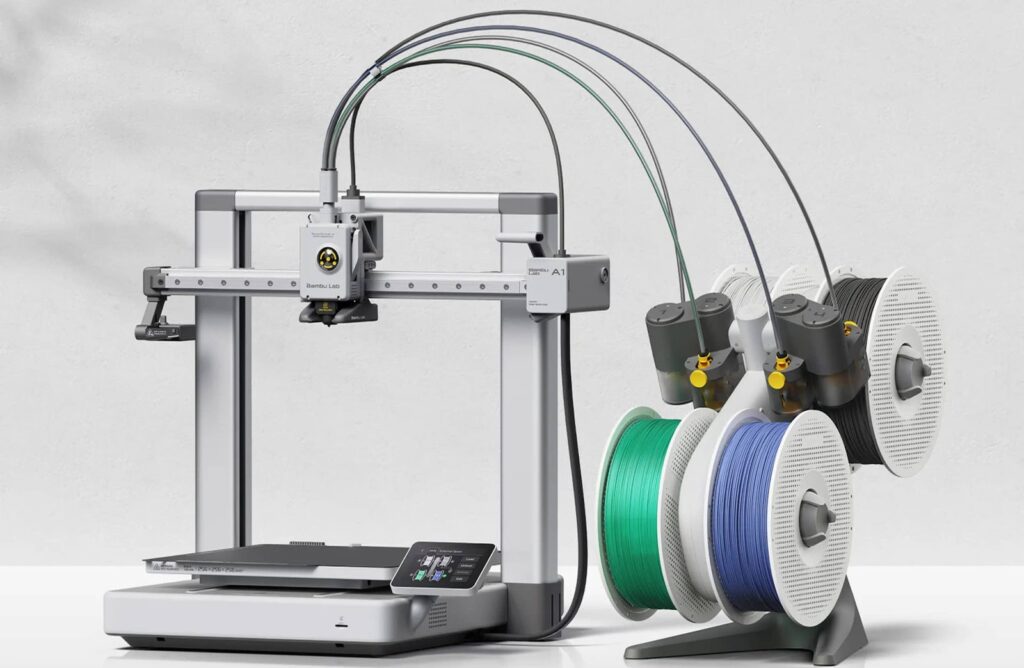
Start with the machine our main roundup already puts at the top, because the reasons it wins there are exactly the reasons beginners succeed. The A1 Combo removes the chores that used to define a first month of printing. Before every print it levels the bed, sets the Z offset, compensates for vibration, and calibrates filament flow, all on its own. No paper gauge ritual, no knob turning. Owner feedback is unusually consistent on the result: first layers stick, print after print, which is the single biggest predictor of whether a new owner is still printing in month three.
The Combo part matters more than it looks. The included AMS lite feeder holds four spools and swaps between them mid-print, so color models, labeled parts, and gifts come out finished instead of painted. It also automates the dull jobs, like filament loading and runout detection. The other spec that earns its keep at home is noise: active motor noise cancellation keeps the A1 fine in the next room, and a built-in camera lets you check prints from your phone.
Key specs: 256 x 256 x 256 mm build volume, 500 mm/s max speed, direct drive extruder, all-metal hotend rated to 300 C, full auto calibration, four-filament AMS lite included, built-in camera, Wi-Fi with Bambu Studio and the Bambu Handy app, about fifteen minutes from box to first print.
What owners praise: the out-of-box experience. The slicer profiles are good enough that beginners print for weeks before they need to learn what a setting does.
The trade-offs: it is an open-frame printer, so ABS and ASA are off the table without an enclosure workaround, and that is fine for a first machine because PLA and PETG cover most beginner projects. Bambu’s ecosystem is also closed: some features lean on a Bambu account and cloud services, and the firmware is not open. None of that stops it printing well today, and for a first printer, boring reliability beats openness for most people. If openness matters more to you, our general roundup covers the repairable long-term option.
Buy it if you want the highest chance that your first printer simply works, with room to grow into PETG and color. Skip it if desk space is very tight (the mini below is the same idea, smaller) or if you already know you want engineering filaments, which points at an enclosed machine instead.
Short on desk space? The Bambu Lab A1 mini Combo
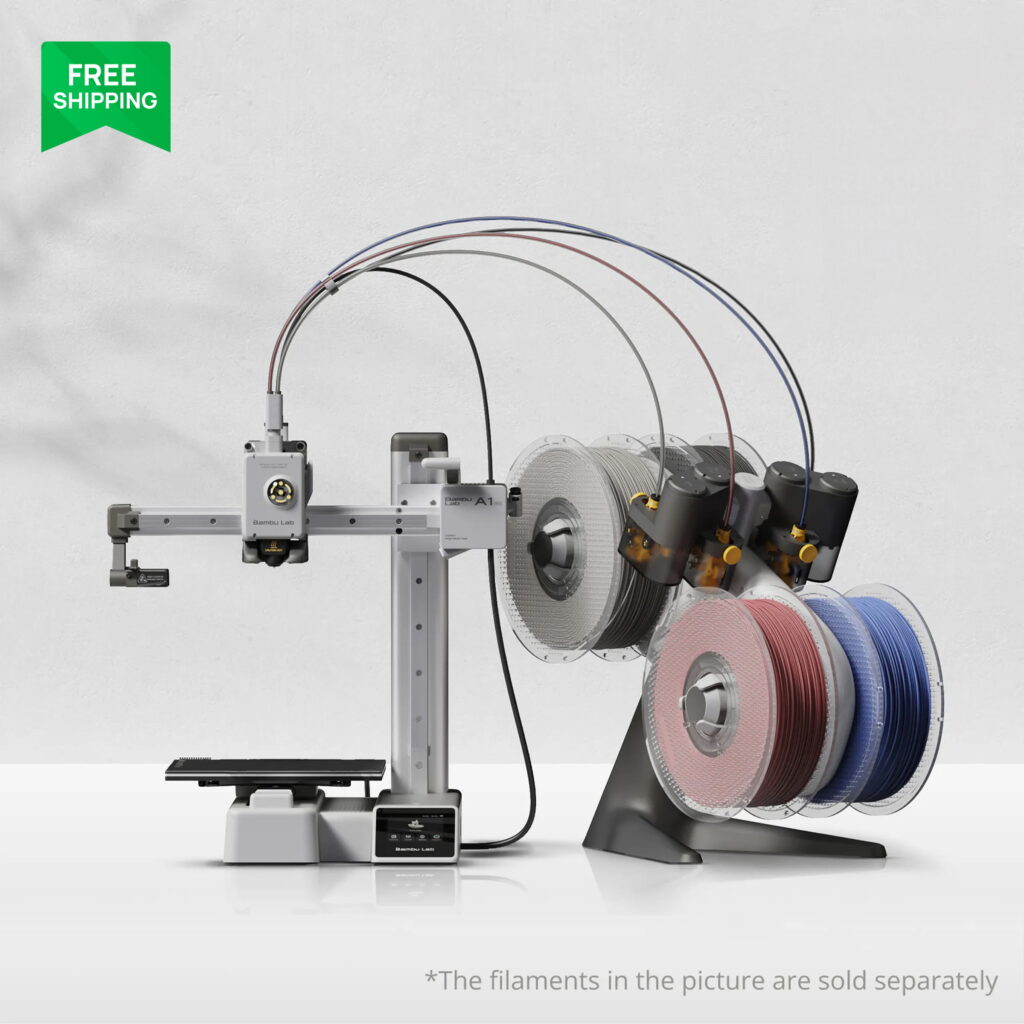
The A1 mini is the A1 idea cut down to a shoebox footprint, the pick for dorm rooms, bedroom desks, and apartments where the printer shares space with everything else. It is a cantilever design, one upright arm over an 180 mm square bed, and it arrives close to fully assembled. What makes it a beginner pick rather than just a small one is that nothing about the automatic experience was cut: it runs the same full auto calibration as its big sibling, and in Combo form it takes the same AMS lite, so the smallest printer in this guide prints in four colors.
The size trade is real but narrower than it sounds. An 180 mm cube covers most models a beginner actually downloads: brackets, organizers, toys, game pieces, and most functional parts. What does not fit is the one-piece helmet or the big single-print prop. The other limit is the bed, which tops out at 80 C, plenty for PLA and PETG, the two filaments a beginner should be using.
Key specs: 180 x 180 x 180 mm build volume, cantilever bed-slinger frame, 500 mm/s max speed, direct drive extruder, all-metal hotend rated to 300 C, bed up to 80 C, full auto calibration, AMS lite included in the Combo, built-in camera, about 48 dB, Wi-Fi with Bambu Studio and the Bambu Handy app.
What owners praise: how appliance-like it feels. It is the printer owners buy for kids, partners, and second desks, because nobody has to learn calibration to get good prints from it.
The trade-offs: the build volume ceiling arrives fast if your projects grow, and the cantilever frame is less rigid than a full gantry, which shows up as a practical speed limit on tall prints. The 80 C bed and open frame close the door on ABS and ASA. Buy it as the right size for your space, not as a budget substitute for the full A1, because the price gap between them is smaller than the capability gap.
Buy it if space and noise are your binding constraints. Skip it if you have the desk room for the full size A1, because the bigger plate is the one spec you can never upgrade later.
What is the cheapest first printer that skips the old headaches? The Creality Ender 3 V3 SE
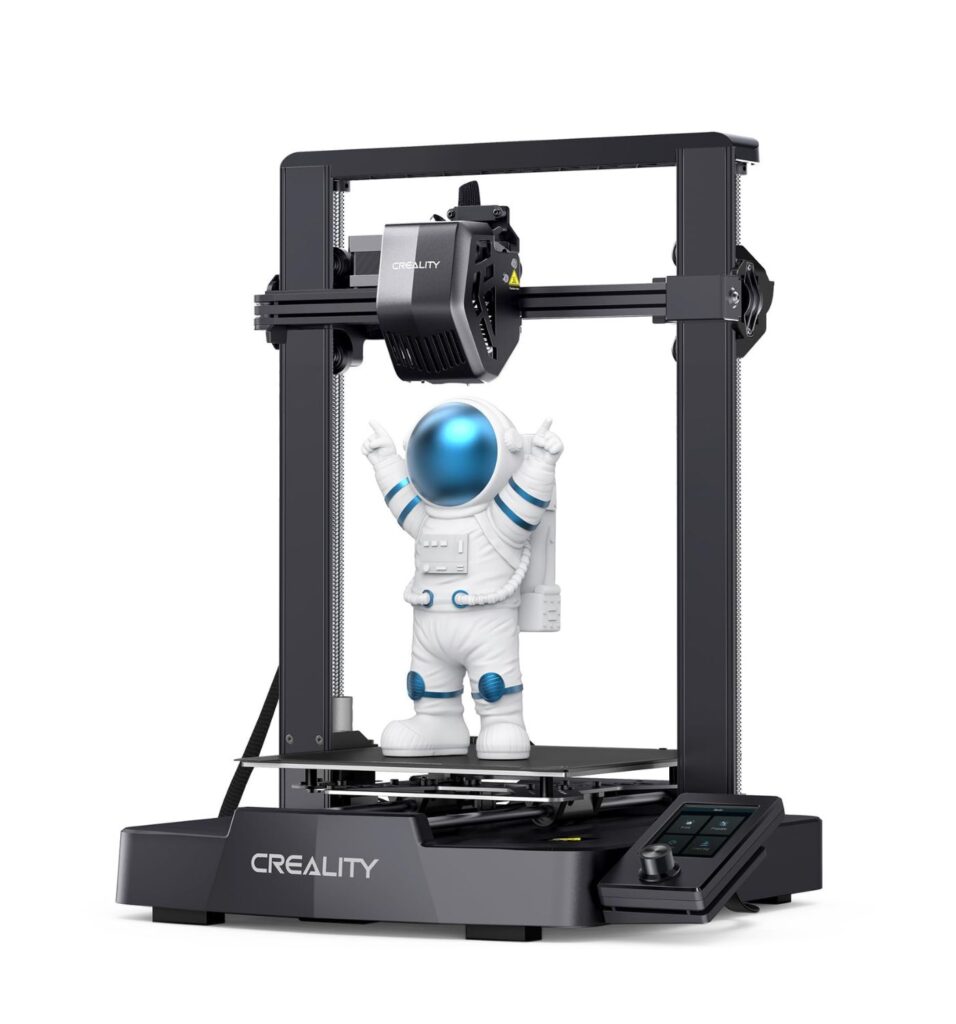
The Ender line built its reputation and its repair jokes on the same machines: cheap, capable, and demanding about bed leveling. The V3 SE keeps the first two traits and drops the third. It is the lowest priced printer in this guide, and it still ships with the two features a beginner cannot do without: CR Touch auto bed leveling with automatic Z offset, and a direct drive extruder. The first layer sets itself, and the Sprite extruder handles PETG and flexible TPU without the feeding struggles of older Bowden machines.
What the lower price buys you in 2026 is a slower, plainer machine, not a broken one. Creality rates it at 250 mm/s, about half the headline speed of the Bambu picks, so parts take longer but still finish the same day. There is no camera and no Wi-Fi, files move by SD card, and the screen feels a generation old. Against that, the Ender ecosystem remains the largest in the hobby: every beginner failure has a solved forum thread, a video walkthrough, and a cheap replacement part behind it, and that support net is worth real money on a first machine.
Key specs: 220 x 220 x 250 mm build volume, 250 mm/s max speed, CR Touch auto leveling plus auto Z offset, Sprite direct drive extruder, 260 C max nozzle temperature, dual Z axis, about twenty minutes of assembly, SD card printing with no Wi-Fi built in.
What owners praise: value that holds up after the first month. For a buyer who is not sure the hobby will stick, it is the lowest risk way to find out.
The trade-offs: fit and finish are budget grade, part cooling is ordinary so sharp PLA overhangs need slicer attention, and the missing camera and Wi-Fi feel dated next to everything else here. None of these stop a beginner learning the hobby, but they are the reasons to step up if the budget stretches.
Buy it if the budget is firm, full stop. Skip it if you know you will hate SD card file shuffling, want color printing, or can stretch to the A1 mini and would rather skip the budget compromises entirely.
Want CoreXY speed in a first printer? The FLASHFORGE Adventurer 5M
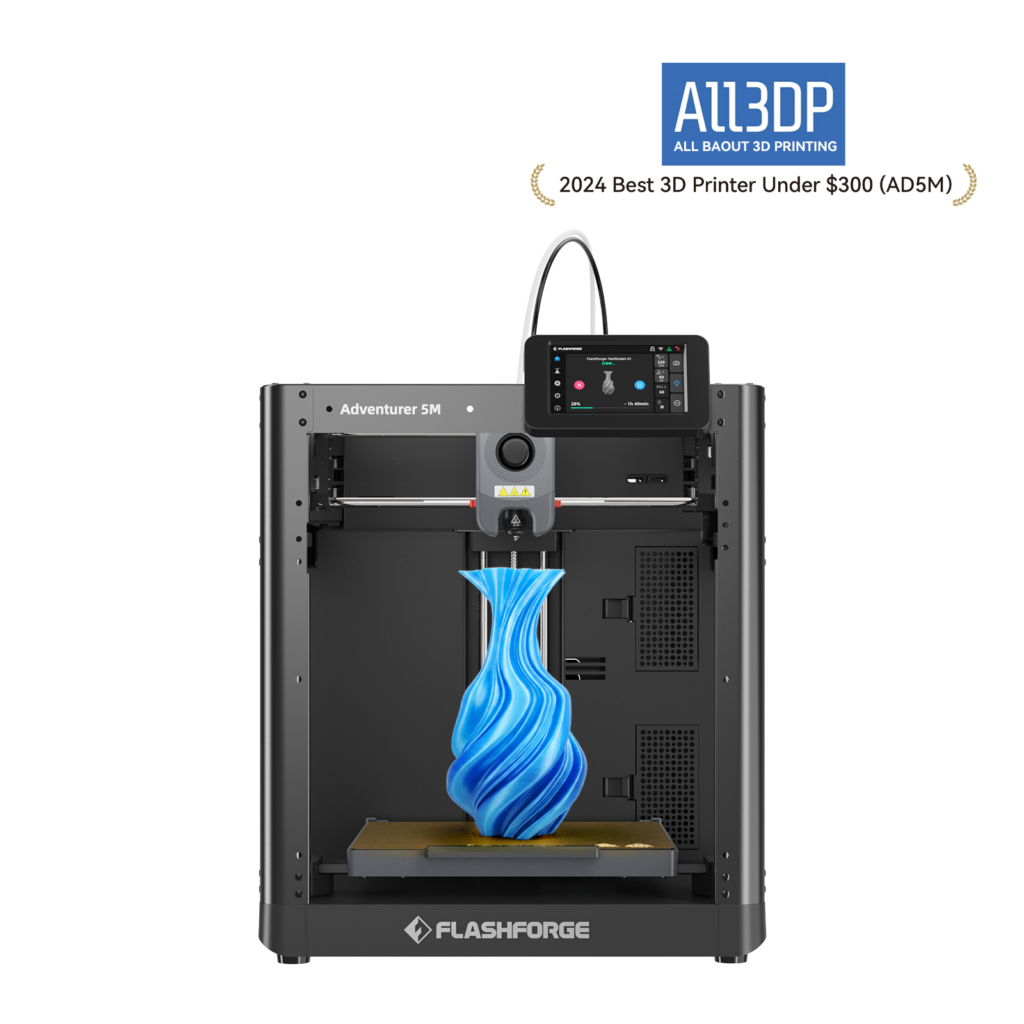
Every other pick in this guide moves the bed back and forth, which is simple and cheap, and also why tall prints wobble and speeds have a practical ceiling. The Adventurer 5M is the one beginner priced machine built the other way: a CoreXY frame where the bed only moves down, wrapped around a 220 mm cube. Flashforge rates it at 600 mm/s with full one-click auto leveling, and the beginner feature hiding in the spec list is the nozzle: it swaps in about three seconds with no tools. A clogged nozzle is the most common first-month emergency, and on this machine the fix is closer to changing a battery than performing surgery.
Setup is about ten minutes, and the printer runs Klipper-based firmware with Flashforge’s Orca-Flashforge slicer or standard OrcaSlicer, both with sensible default profiles. The frame is open, and Flashforge sells a DIY enclosure kit if you later want one, a growth path the bed-slingers do not have. Buy the kit or print mostly PLA and PETG, because Flashforge’s own material guidance for the open machine centers on those two, whatever the 280 C hotend suggests on paper.
Key specs: 220 x 220 x 220 mm build volume, open CoreXY frame, 600 mm/s max speed, direct drive extruder, 280 C max nozzle temperature, full auto leveling, quick-swap nozzles, dual-sided PEI plate, 4.3 inch touchscreen, Wi-Fi, Ethernet and USB.
What owners praise: speed without drama, and the nozzle system. Prints finish fast for the price class, and maintenance that scares beginners on other machines is a non-event here.
The trade-offs: there is no camera in the box (a kit adds one), Flashforge’s community and documentation are thinner than Bambu’s or Creality’s, and the official material story is narrower than the hardware implies. Single color only. Be careful when you shop, as well: the Adventurer 5M Pro is a different, enclosed model that sits next to this one in search results, and it is not the machine reviewed here.
Buy it if you like the CoreXY layout or want the easiest possible relationship with nozzle clogs. Skip it if a camera and phone monitoring matter on day one, or you want the biggest possible library of beginner tutorials behind your machine.
Color printing without the Bambu ecosystem: the Anycubic Kobra 4 Combo
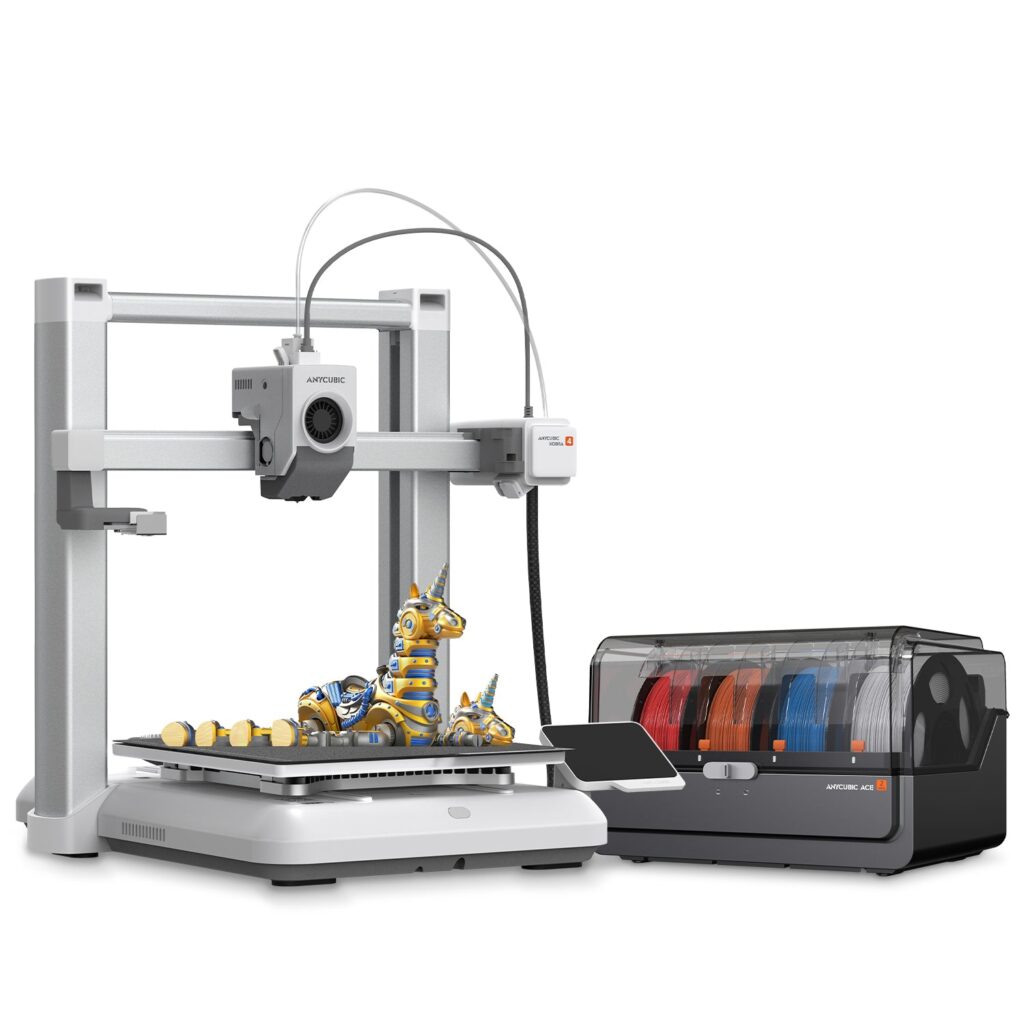
Some beginners want color on day one and would rather not build their hobby inside one company’s account system. The Kobra 4 Combo is the strongest answer to that brief. It pairs a fast, full size bed-slinger with the ACE 2 Pro, a four-spool color engine that does one thing no Bambu feeder does: it actively dries the filament it holds while it prints. Damp filament is a silent cause of stringy, weak beginner prints, so a feeder that dries as it feeds removes a problem most new owners do not know they have yet.
The printer underneath is properly modern. LeviQ 3.0 auto leveling with automatic Z offset handles the first layer, the direct drive hotend reaches 300 C, and Anycubic rates the machine at 600 mm/s with 300 mm/s as the recommended working speed. A 720p camera, AI spaghetti detection that can pause a failing print, and power loss resume round out the spec list, and two ACE 2 Pro units can pair for eight colors if a beginner turns out to be anything but.
Key specs: 260 x 260 x 260 mm build volume, 600 mm/s max speed (300 mm/s recommended), direct drive extruder, 300 C max nozzle temperature, LeviQ 3.0 auto leveling with auto Z offset, ACE 2 Pro four-color feeder with active filament drying included, 720p camera, AI spaghetti detection, Wi-Fi and the Anycubic app and slicer.
What owners praise: the color results for the money and the drying feeder. Owner feedback credits the ACE 2 Pro with cleaner color changes than expected at this price, and always-dry filament shows up as fewer mystery failures on PETG.
The trade-offs: the ACE 2 Pro is a second box that roughly doubles the desk footprint, and single-nozzle color printing makes purge waste on every change, like every system of this type. Anycubic’s slicer and app are serviceable but a step behind Bambu Studio in polish. This is also the most complex setup in the guide, at around half an hour with the feeder to connect.
Buy it if color printing is the point of the purchase, your room is humid, or you want a big plate and a dryer included without joining the Bambu ecosystem. Skip it if desk space is tight or you mostly print single-color functional parts.
How we picked these five
Filameld does not own these printers, and this page does not pretend otherwise. The criteria were set for a first purchase, and fixed before the rankings:
The first layer had to be automatic. Auto bed leveling alone did not qualify a machine. Every pick also sets its Z offset by itself, because the gap between “levels automatically” and “the first layer just works” is where beginners quit. This filter removed several famous budget names that still fill competitor lists.
Setup had to fit in half an hour, and daily life beat brochure numbers. Every pick arrives fully assembled or close to it, with calibration that runs itself. Noise, footprint, camera and app quality, and how a nozzle clog gets fixed were weighed alongside speed and build volume, because those decide whether a printer gets used in a shared home. Claimed top speeds were discounted across the board, since every brand quotes a number the machine touches for seconds at a time.
Owner reports, weighted by repetition. Forums, subreddits, and retailer reviews were read for patterns, not highlights. A complaint that appears fifty times counts. A single angry review does not. This filter is also why two strong spec sheets are not in the five. The Elegoo Neptune 4 Pro has Klipper and a sharp price, but no built-in Wi-Fi, loud fans in owner reports, and a learning curve that lands on day one: a great second printer. The Prusa MINI+ has the best support story in the business, but it is a 2020 design with a Bowden extruder and manual-era calibration at a price above the A1 mini, so the beginner case for it has closed.
Value against the current market, checked October 27, 2026. Every pick had to be a current model you can buy new today, sold by its maker, and priced sensibly against its rivals. Successor models were checked for each line, which is why the Anycubic pick is the current Kobra 4 Combo rather than the Kobra 3 generation still filling older roundups.
What would change this list: a hands-on testing program. Filameld’s own workbench runs an Ender 3 Pro on Klipper, and as test units arrive, printers will graduate to full scored reviews and this page will be updated to say so.
Frequently asked questions
What makes a 3D printer good for beginners?
Automatic calibration, above everything else. Look for a machine that levels its own bed and sets its own Z offset, a direct drive extruder, and a slicer with maintained default profiles. Those three remove the classic beginner failures. Speed, size, and color are preferences. The automation is the product.
How long does setup take on a modern beginner printer?
Between ten and thirty minutes for every printer in this guide. Modern beginner machines ship assembled or nearly assembled, calibrate automatically, and walk you through the first filament load on screen. If a printer needs an afternoon of assembly and manual leveling, it is a hobby kit, not a beginner printer, whatever the listing calls it.
Is a bigger build volume better for a first printer?
Mostly no. The large majority of beginner projects fit inside an 180 mm cube, and every model can be split into sections when it does not. Buy the plate size your space and projects need today. A reliable small printer teaches more than a large one that fails in the corner, and a second, bigger printer is a fun problem to have later.
Do I need an enclosure as a beginner?
No. PLA and PETG, the two filaments beginners should start with, print well on an open frame. An enclosure matters for ABS, ASA, and nylon, which warp as they cool, and those are second-stage materials. The Adventurer 5M even leaves an enclosure kit path open for later, so skipping one now locks nothing away.
Which filament should my first spool be?
PLA, one spool, a color you like. It prints at low temperatures, barely warps, needs no enclosure, and forgives beginner mistakes. Add PETG as the second spool when you need parts that survive heat, sunlight, or weather. Everything more exotic can wait until the basics feel boring.
Should I buy the color combo version or the plain printer?
Buy the combo if color models, gifts, signs, or labeled parts are why you want the printer, because adding the feeder later costs more than buying it in the box. Buy the plain printer if your projects are functional and single-color, and put the savings into filament. Most beginners who skip color end up curious within a month, and most who buy it use it less than they expected. Both outcomes are fine.
